The best desk organization ideas start with one simple rule: the desk surface is for working, not for storing. When papers, cables, mugs and supplies pile up, it gets harder to focus and every task takes longer. A few smart changes give everything a home, so you can sit down and start working in seconds.
This guide covers a desk zone map, a 6-step reset, and 18 ideas for desk organizers, drawers, cables, wall storage, small desks and office desks.

Key Takeaways
- Quick answer: The best desk organization ideas start with a clear surface: keep only daily tools on top, raise your screen on a stand, hide cables under the desk, give paper one inbox and move the rest to drawers, shelves or the wall.
- Keep only daily tools on the desk surface and move everything else to drawers, shelves or the wall.
- Raise your screen on a stand or riser to free up space and keep the top of the screen near eye level.
- Hide cables under the desk and give paper one home, so the surface stays clear.
Time: 1–2 hours · Cost: $20–100 · Difficulty: Easy
Start With a Desk Zone Map
Before you buy a single desk organizer, sort what you use by how often you reach for it. The closer you use something, the closer it should sit.
Your screen deserves its own spot too. The OSHA computer workstation guidelines recommend placing the monitor directly in front of you, about 20 to 40 inches from your eyes, with the top line of the screen at or below eye level. A laptop stand or monitor riser does both jobs at once: it puts the screen in a better position and frees desk space underneath.
Quick Pick: Desk Organization Ideas by Problem
| Your problem | Start with these ideas |
|---|---|
| Papers everywhere | Paper inbox (#5), vertical file holders (#6), weekly reset (#18) |
| Tangled cables | Cable tray (#9), cable clips (#10), charging spot (#11) |
| Messy drawers | Drawer dividers (#7), one drawer per category (#8) |
| Not enough desk space | Monitor riser (#2), pegboard (#12), wall shelves (#13) |
| Small room or bedroom desk | Floating desk (#14), wall baskets (#15) |
| Shared office desk | Document tray (#16), rolling drawer cart (#17) |
How to Organize Your Desk in 6 Steps
- Clear everything off. Empty the desk surface and drawers completely.
- Toss and relocate. Throw away dried pens and old notes. Move mugs, mail and anything that belongs in another room.
- Sort by how often you use it. Daily, weekly and rarely.
- Set up the zones. Daily tools in front of you, weekly items within reach, everything else in drawers or on the wall.
- Handle cables and paper. Hide cables under the desk and give paper one inbox.
- Keep it going. A five-minute reset at the end of each day stops the clutter from coming back.
18 Desk Organization Ideas
These desk organization ideas are grouped by the part of the desk they fix, so you can start with your biggest problem.
The Desk Surface
1. Keep only daily tools on top
Your laptop or keyboard, a notebook, one pen cup and a lamp are usually enough. Everything else is a distraction you have to move every time you work.
2. Raise your screen
A laptop stand or monitor riser lifts the screen and creates a shelf underneath for a keyboard, notebook or small tray. It’s one of the easiest desk organizer ideas with a real comfort payoff.
3. Use one small tray
A single tray for the items you grab all day, like a phone, sticky notes and earbuds, keeps small things together instead of spread across the desk.
4. Add a desk mat
A large desk mat defines your work area and makes the desk look calmer. It also protects the surface from scratches and spills.
Paper and Drawers
5. Set up a paper inbox
Every new paper goes into one tray. Once a week, sort it: act, file or recycle. No more loose papers on every corner.
6. Store files upright
Vertical file holders or magazine files keep notebooks and folders standing up, so you can see every label and pull one out without moving a stack.
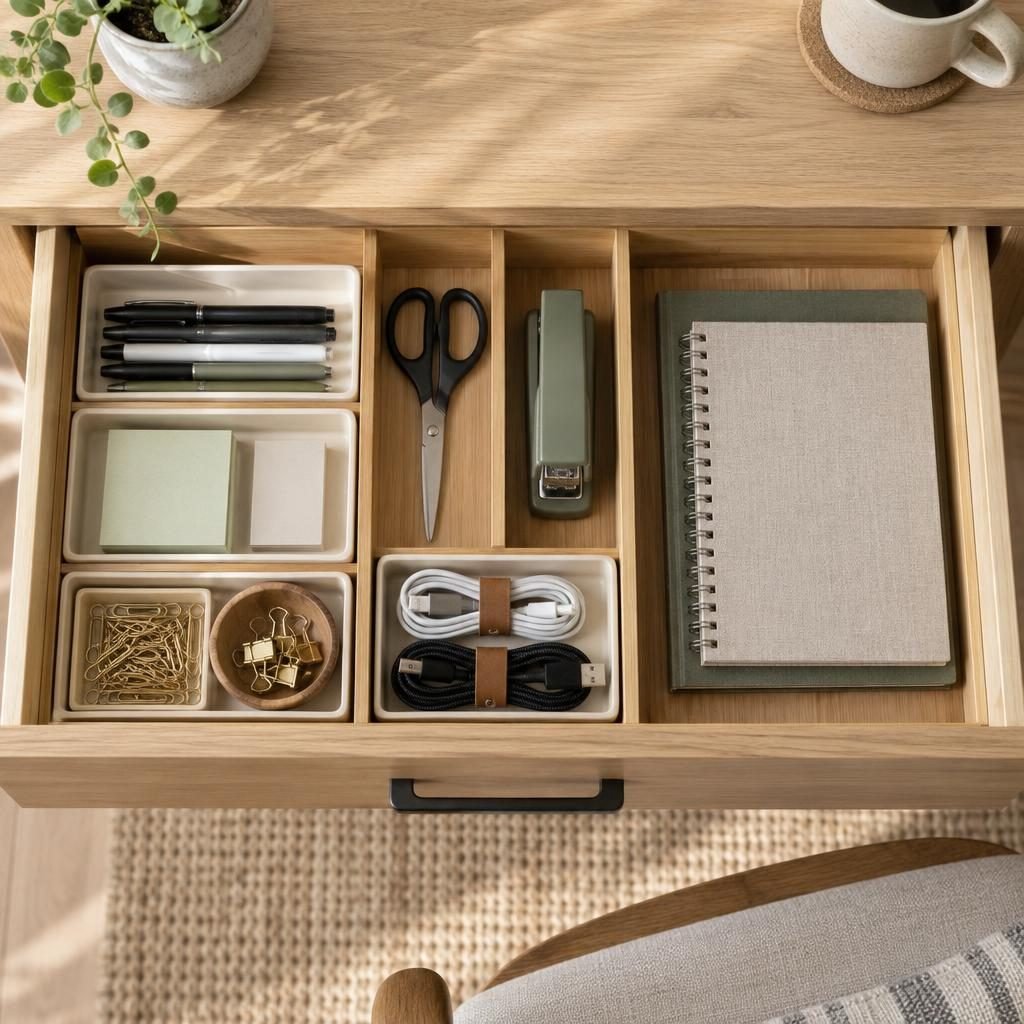
7. Divide the drawers
Drawer dividers and small trays give pens, scissors, clips and chargers their own spots. Measure the drawer before you buy so the trays fit edge to edge.
8. Give each drawer one job
Top drawer for daily supplies, second drawer for paper and notebooks, bottom drawer for backups. When each drawer has one job, things go back to the right place.
Cable Management
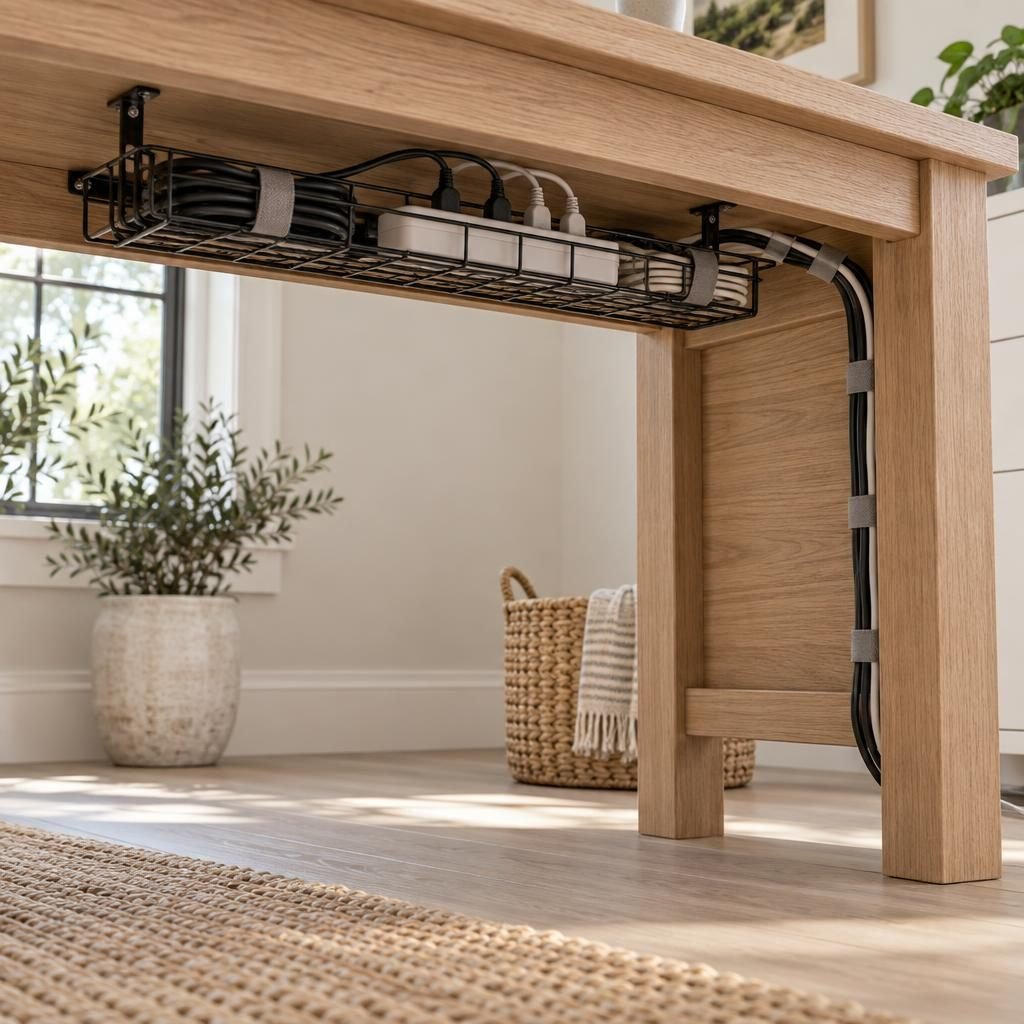
9. Mount a cable tray under the desk
A tray screwed or clamped under the desk holds a power strip and extra cable length. The floor stays clear and the cables stop tangling.
10. Use cable clips and ties
Clips on the back edge of the desk hold charging cables in place so they don’t slide off. Fabric ties bundle the rest into one neat line down a desk leg.
11. Create one charging spot
Pick one corner for charging your phone, earbuds and other devices. A small charging station keeps cables from spreading across the desk.
Wall Storage Above the Desk

12. Hang a pegboard
A pegboard holds pen cups, small shelves, headphones and scissors on the wall instead of the desk. You can rearrange it whenever your needs change.
13. Add floating shelves
One or two shelves above the desk hold binders, books and file boxes. Our DIY floating shelves guide shows how to hang them securely.
Small Desk Ideas

14. Choose a floating desk
A wall-mounted desk takes up almost no floor space, which makes it perfect for a bedroom corner or a narrow nook. Our small bedroom storage ideas show more ways to fit a work spot into a small room.
15. Store supplies above, not on, a small desk
On a small desk, every inch matters. Put supplies in baskets on a shelf above the desk and keep the surface for your laptop and one notebook. Even the space under the stairs can work: see our under stairs storage ideas for a compact office nook.
Office Desk Organization Ideas
16. Use a two-tier document tray
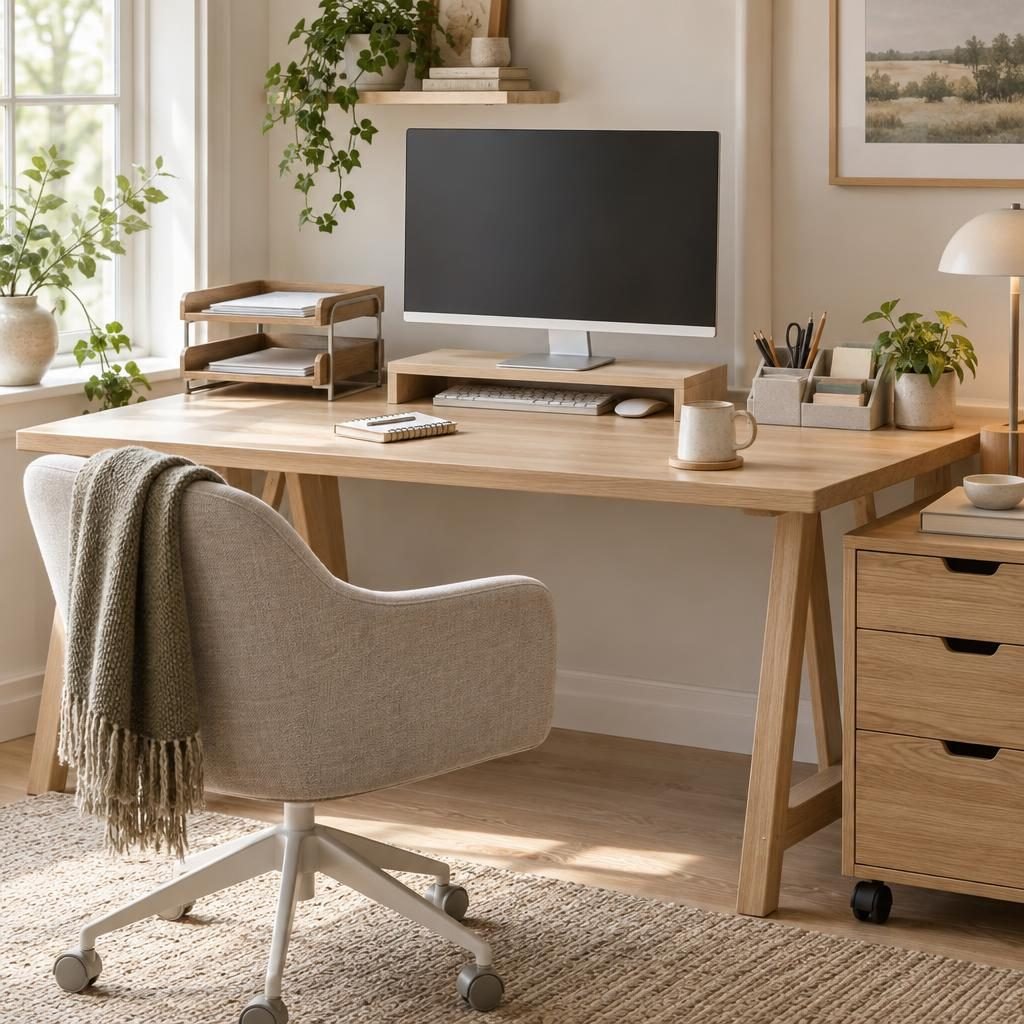
At an office desk, a two-tier tray separates incoming papers from finished work, so nothing gets lost in a pile.
17. Add a rolling drawer cart
A rolling cart slides under or beside the desk and holds supplies, files and personal items. It’s a great fix when your desk has no drawers.
18. Do a five-minute reset
Before you leave, put pens back, file papers and clear cups. Five minutes at the end of the day means a clear desk the next morning.
Common Desk Organization Mistakes
- Buying organizers first. Declutter before you buy anything.
- Too many desk organizers. Five small containers can look as messy as the clutter they replace.
- Paper with no home. Without an inbox, papers end up everywhere.
- Ignoring cables. Loose cables make even a tidy desk look messy.
- Screen too low or too far. A riser or stand fixes both comfort and space.
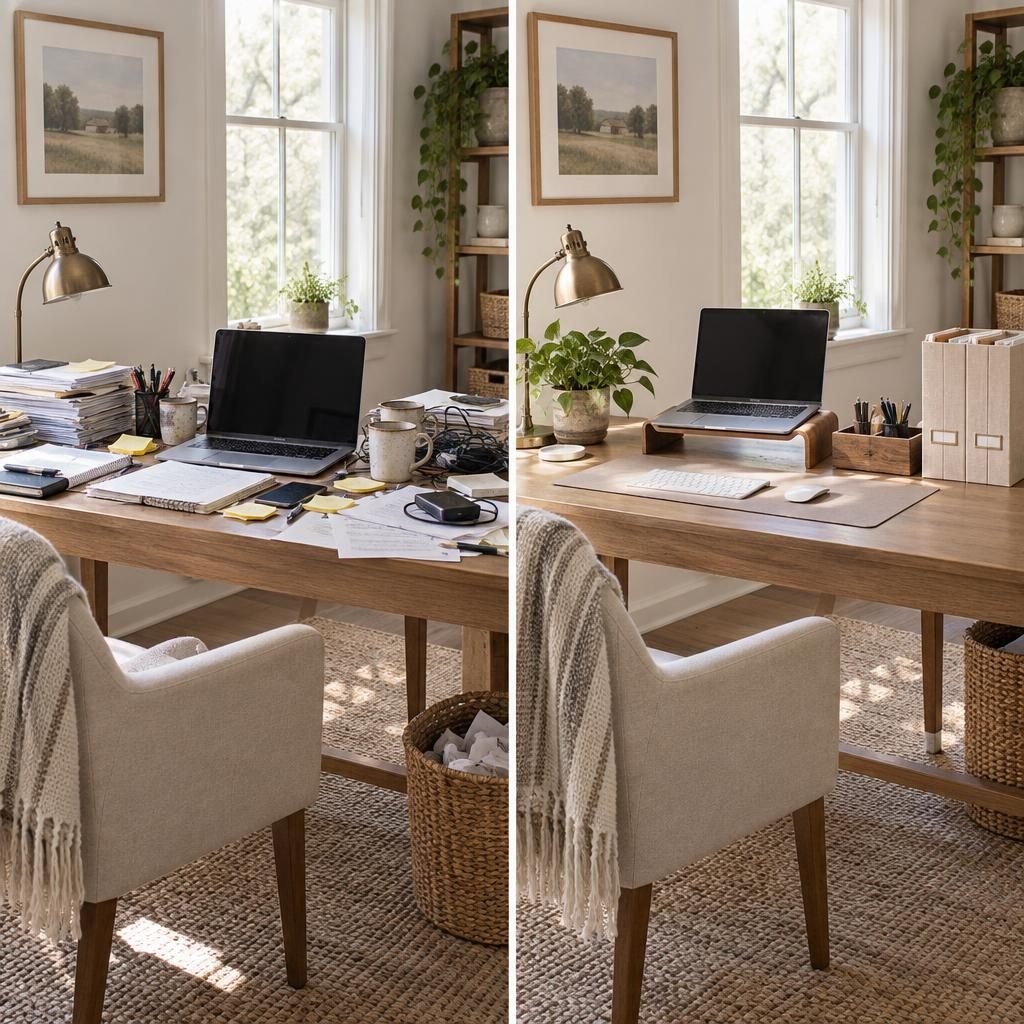
The before-and-after above is the same desk. A laptop stand, one pen tray, file holders and hidden cables made the difference. That’s the goal of all good desk organization ideas: a clear surface that’s ready for work.
Desk Organization FAQ
How do I organize my desk?
Clear everything off, keep only daily tools on the surface, give paper one inbox, divide your drawers, and hide cables under the desk. Finish with a quick reset at the end of each day.
What should you keep on your desk?
Only what you use every day: your laptop or keyboard, a notebook, a pen cup, a lamp and maybe one small tray. Everything else goes in drawers or on the wall.
How do you organize a small desk?
Raise your screen on a stand, move supplies to wall shelves or a pegboard, and keep a rolling cart or baskets nearby instead of crowding the surface.
How do you hide cables on a desk?
Mount a cable tray under the desk for the power strip, use clips on the back edge for charging cables and bundle the rest with ties down one desk leg.
Final Thoughts
The best desk organization ideas are simple: keep only daily tools on the surface, give paper and cables a home, and use the wall and drawers for everything else. Start with a clear desk today and a five-minute reset each evening, and it will stay that way.
Save this guide to Pinterest for your next home office refresh.
How this guide was made: researched and written with the help of AI tools, fact-checked against trusted sources and published by Mohamed Elber. Images are AI-generated illustrations. See our Editorial Policy.